

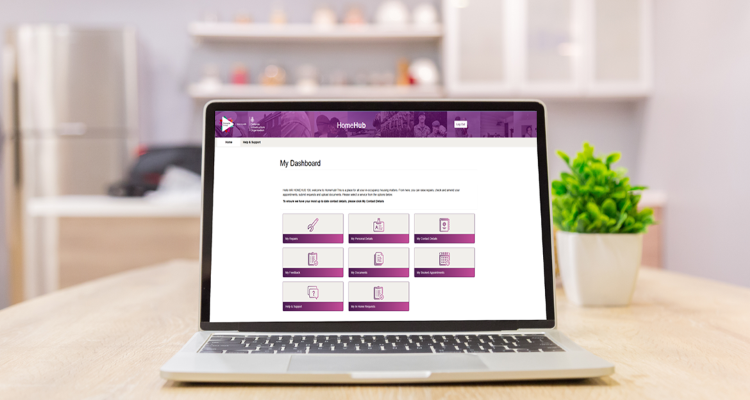
HomeHub is the new online platform designed to support families living in UK military homes.
It provides a simpler, quicker way to raise and track repairs, manage appointments and access key information about your home, all without needing to call the Pinnacle National Service Centre.
HomeHub is now available to all serving personnel and their families across the UK living in SFA where homes are maintained by DIO’s maintenance providers, Amey and VIVO.
HOMEHUB IN DETAIL
Via HomeHub you can raise maintenance repair requests and book appointments (where applicable)
● Track the progress of any repairs
● Review outstanding repairs and manage upcoming appointments
● Submit a complaint or compliment
● Update your contact details
● View move-in and move-out documentation
If you believe your repair is an emergency where there is a risk of injury or damage to property, you should call the Pinnacle National Service Centre on 0800 031 8628 and select the repairs option.
You need to register for HomeHub and for that you need a government One Login account and your e1132 application number. There’s more information on the HomeHub page on the Defence Homes website to help you locate this.
You can create a One Login account via gov.uk. You’ll then be asked to verify your identity. See gov.uk/using-your-gov-uk-one-login
If multiple members of your household want access, each person will need their own One Login account and should register using their personal details.
HomeHub gives Army families more control and flexibility, making it easier to manage repairs and appointments from home or while on the go, with support from the National Service Centre still available when needed.
For further guidance on using HomeHub, including FAQs and how-to video guides, you can visit the Defence Homes or Pinnacle websites.
defencehomes.mod.gov.uk/homehub-information/
pinnacleservicefamilies.co.uk/homehub